
Quick Urchin
UTM Links in Seconds
Quick Urchin
UTM Links in Seconds
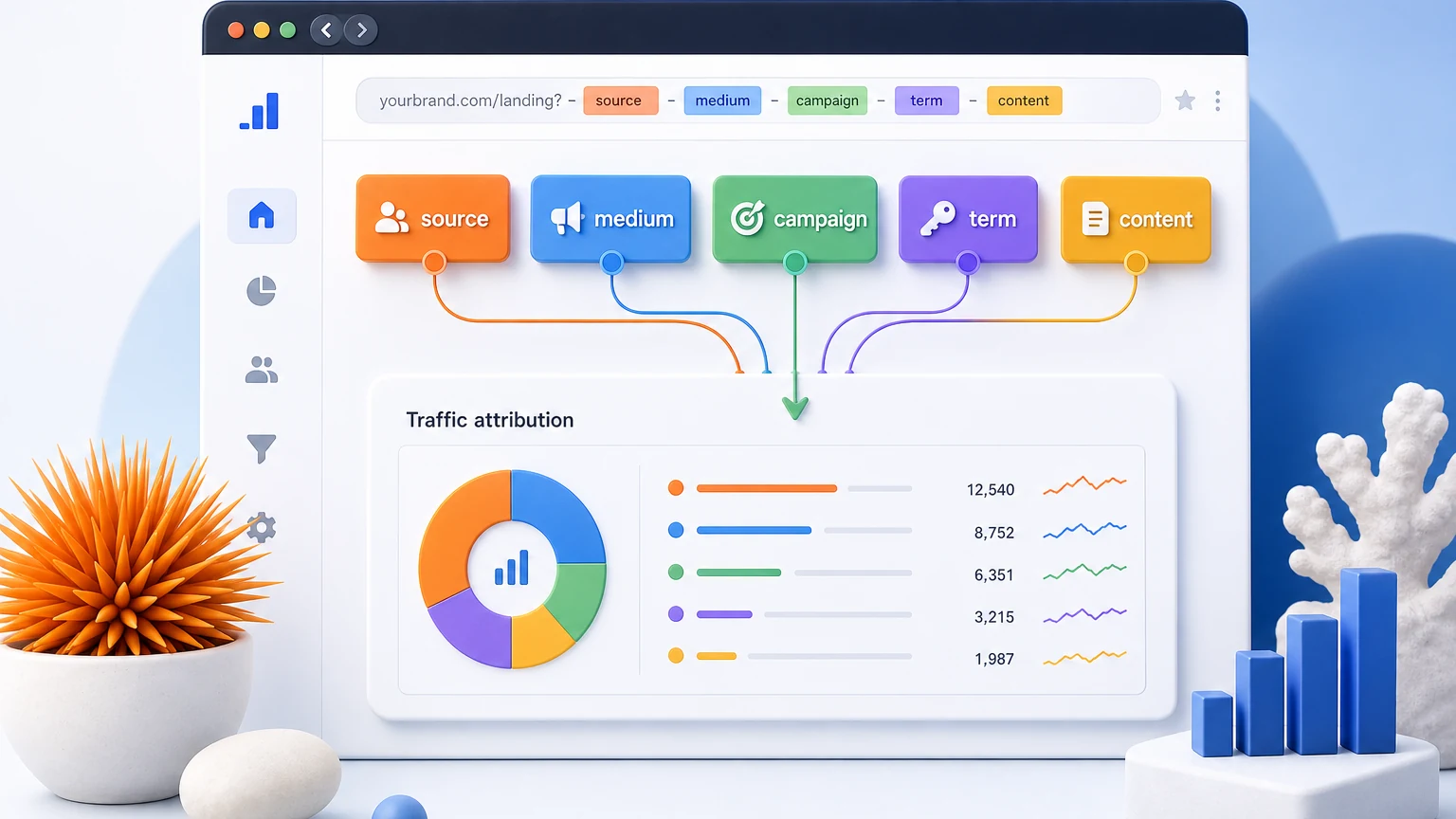
UTM parameters are tags you add to a link so Google Analytics 4 and other analytics tools can tell where a visitor came from and which campaign sent them. A normal URL tells the browser where to go. A UTM-tagged URL also tells your analytics what source, channel, campaign, keyword, or creative should get credit for the click.
Example:
https://example.com/pricing?utm_source=newsletter&utm_medium=email&utm_campaign=spring_launch&utm_content=hero_button
In that link, the visitor still lands on /pricing, but GA4 can now attribute the session to a newsletter email, the spring_launch campaign, and the hero_button link placement.
Want to build one now? Use the free UTM builder to generate a GA4-friendly campaign URL with consistent
utm_source,utm_medium, andutm_campaignvalues.
UTM stands for Urchin Tracking Module. The name comes from Urchin, the analytics product Google acquired before launching Google Analytics. The name is old, but the concept is still central to modern campaign tracking.
Marketers use UTM parameters to answer questions like:
Without UTMs, analytics tools can still identify some referral sources, but campaign reporting becomes fuzzy. Email clicks may appear as direct traffic, social traffic may be grouped inconsistently, and individual ads or links are harder to compare.
There are five standard UTM parameters. You do not need all five on every link, but you should understand what each one does.
| UTM parameter | What it answers | Example value | Use it when |
|---|---|---|---|
utm_source | Where did the click come from? | google, newsletter, linkedin | Always. Name the platform, list, partner, or publisher. |
utm_medium | What type of channel was it? | email, cpc, paid_social, organic_social | Always. Keep channel names consistent across campaigns. |
utm_campaign | Which campaign or promotion was this? | spring_launch, black_friday, webinar_q2 | Always. This groups related links together. |
utm_term | Which keyword or audience term was targeted? | utm_builder, brand_search | Mostly for paid search or keyword-level tracking. |
utm_content | Which creative, ad, button, or placement was clicked? | hero_cta, footer_link, ad_variant_a | Use for A/B tests, multiple links in one email, or creative variants. |
A practical minimum for most marketing links is:
utm_source + utm_medium + utm_campaign
Then add utm_content when you need to compare placements or creative, and utm_term when paid search keywords matter.
Use values that match how you want to report later. The exact words matter less than consistency.
| Channel | Example URL pattern | Notes |
|---|---|---|
| Email newsletter | ?utm_source=newsletter&utm_medium=email&utm_campaign=may_digest&utm_content=hero_button | Use utm_content for multiple links in the same email. |
| LinkedIn organic post | ?utm_source=linkedin&utm_medium=organic_social&utm_campaign=utm_guide | Separate organic social from paid social. |
| Facebook ad | ?utm_source=facebook&utm_medium=paid_social&utm_campaign=spring_sale&utm_content=video_ad_a | Use utm_content for creative/ad variants. |
| Google paid search | ?utm_source=google&utm_medium=cpc&utm_campaign=brand_search&utm_term=utm_builder | Use utm_term for keyword or match-type detail when needed. |
| Partner link | ?utm_source=partner_name&utm_medium=referral&utm_campaign=co_marketing_webinar | Useful for affiliates, sponsors, and co-marketing campaigns. |
If you are not sure what to use, start simple: lowercase source, standardized medium, and a campaign name that a teammate would understand six months from now.
GA4 reads UTM parameters when a user lands on your site. You will usually see them in acquisition reports and dimensions such as:
utm_source and utm_medium.utm_campaign.UTMs are most useful when they connect clicks to outcomes. A campaign with many clicks but no signups may need different targeting or landing-page copy. A smaller campaign with strong conversion quality may deserve more budget.
Follow this workflow before publishing a campaign URL:
google, newsletter, linkedin, facebook.email, cpc, paid_social, organic_social, referral.spring_launch, q2_webinar, black_friday.You can do this manually, but a builder prevents common formatting mistakes. The Quick Urchin UTM builder handles the URL structure and gives you a copyable campaign link.
UTM naming problems usually show up later in reporting. For example, Email, email, newsletter, and e-mail may be treated as separate values. That makes performance analysis messy.
Use these rules:
linkedin, not LinkedIn.spring_launch or spring-launch, not both.utm_medium values standardized across the team.utm_campaign specific but not cryptic.A clean convention might look like this:
utm_source=linkedin
utm_medium=paid_social
utm_campaign=2026_spring_launch
utm_content=founder_video_a
Do not use UTM parameters on links from one page of your own website to another page of your own website. Internal UTM links can overwrite the original acquisition source and make analytics attribution less reliable.
If one marketer uses paid-social and another uses paid_social, reports split into two rows. Pick a convention before the campaign starts.
utm_campaign=promo may make sense today, but it will be hard to interpret later. Use names like spring_sale_2026 or product_launch_waitlist.
More parameters do not automatically mean better tracking. Use the fields that answer a real reporting question.
Start from a clean URL when building a new campaign link. Reusing an old tagged link can accidentally credit the wrong campaign.
UTM parameters are for analytics tracking, not ranking. They do not directly help a page rank higher. The SEO concern is duplicate URL discovery: a page can be reached with many different tracking query strings.
For your own site, use a self-referencing canonical tag on the clean page URL and avoid adding tagged URLs to internal navigation. For external campaigns, UTM links are normal and safe when the destination page has a proper canonical URL.
Google Ads can use auto-tagging with a gclid parameter. Manual UTM parameters are still useful for channels outside Google Ads, such as email, social posts, partner campaigns, influencer links, and sponsored placements.
Many teams use both:
The important part is that your naming convention matches how you want to compare campaigns in GA4.
Before you publish a campaign link, check:
utm_source, utm_medium, and utm_campaign are present.utm_content is used when comparing multiple links or creatives.UTM parameters are labels added to a URL so analytics tools can identify the marketing source, channel, campaign, keyword, or content that drove a click.
People often use the terms interchangeably. A UTM code usually means a URL that contains UTM parameters such as utm_source, utm_medium, and utm_campaign.
Use utm_source, utm_medium, and utm_campaign for most campaign links. Add utm_content for creative or placement comparisons and utm_term for paid keyword tracking.
Yes. Email is one of the best use cases. Use utm_medium=email, then use utm_source for the newsletter/list/platform and utm_campaign for the send or promotion.
No. Avoid UTMs on internal links because they can overwrite the original traffic source in analytics. Use events or internal analytics methods instead.
If you already know the destination URL and campaign name, the fastest next step is to generate the link. Open the free UTM builder, enter your source, medium, campaign, and optional content/term values, then copy the final campaign URL before publishing.