
Quick Urchin
UTM Links in Seconds
Quick Urchin
UTM Links in Seconds
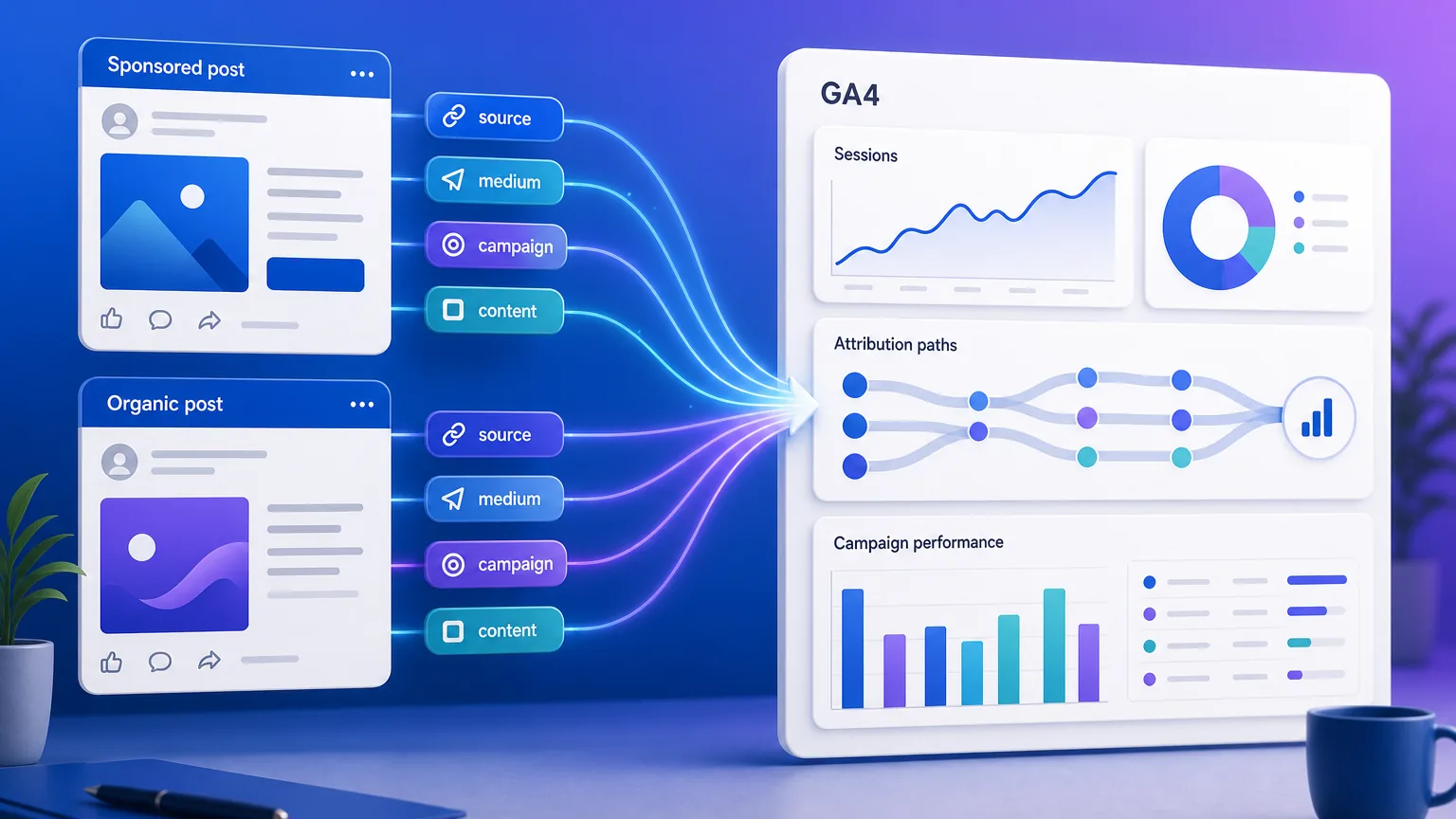
LinkedIn UTM parameters help you see which organic posts, employee shares, Sponsored Content ads, and lead-generation campaigns actually send useful traffic to your website. The safest default is utm_source=linkedin, utm_medium=social for organic posts, utm_medium=paid_social for paid ads, and a campaign name that matches the offer or launch you want to measure.
If you want to build a clean tagged URL quickly, use the free Quick Urchin UTM builder and then paste the final link into your LinkedIn post or Campaign Manager ad.
| LinkedIn use case | utm_source | utm_medium | utm_campaign | utm_content |
|---|---|---|---|---|
| Organic company post | linkedin | social | webinar_may_2026 | company_post |
| Founder or employee post | linkedin | social | webinar_may_2026 | founder_post |
| Sponsored Content ad | linkedin | paid_social | webinar_may_2026 | single_image_a |
| Carousel ad | linkedin | paid_social | report_launch | carousel_slide_1 |
| Lead Gen Form follow-up link | linkedin | paid_social | report_launch | lead_form_thank_you |
The exact words matter less than consistency. Pick a naming convention once, document it, and reuse it across campaigns so GA4 reports do not split the same channel into several slightly different rows. If your team has not documented one yet, start with the UTM naming convention generator, then build each LinkedIn URL in the UTM builder.
Use this when your brand page posts a normal update linking to a blog post, landing page, product page, or event registration page.
https://example.com/webinar?utm_source=linkedin&utm_medium=social&utm_campaign=may_webinar&utm_content=company_post
If a founder, salesperson, or team member shares the same campaign link, keep the same campaign name but use utm_content to separate the source placement.
https://example.com/webinar?utm_source=linkedin&utm_medium=social&utm_campaign=may_webinar&utm_content=founder_post
This lets you answer a practical question later: did the company page, founder post, employee advocacy, or paid ad drive the better traffic?
For paid LinkedIn ads, separate the traffic from organic social. The most common clean setup is utm_medium=paid_social.
https://example.com/demo?utm_source=linkedin&utm_medium=paid_social&utm_campaign=q2_demo_push&utm_content=single_image_a
If your existing reporting convention uses utm_medium=cpc for all paid clicks, that can work too. The important rule is to avoid switching between paid_social and cpc midstream unless you intentionally update your reporting model.
LinkedIn Lead Gen Forms often capture the lead inside LinkedIn, but follow-up emails, thank-you pages, and nurture links can still use UTMs to connect the journey in GA4.
https://example.com/report?utm_source=linkedin&utm_medium=paid_social&utm_campaign=buyer_report&utm_content=lead_form_followup
Do not group every LinkedIn click under the same medium. Organic and paid traffic behave differently, and blending them makes ROI analysis harder.
| Traffic type | Recommended medium | Why |
|---|---|---|
| Organic company post | social | Tracks normal unpaid social traffic. |
| Founder/employee post | social | Still organic social, but distinguish with utm_content. |
| Sponsored Content | paid_social | Separates ad spend from unpaid LinkedIn traffic. |
| Text ads or paid campaign variants | paid_social or cpc | Use the convention your paid reporting already expects. |
A simple rule: use utm_source for the platform, utm_medium for the channel type, utm_campaign for the initiative, and utm_content for the post, ad, CTA, or creative variation.
LinkedIn Campaign Manager can show ad clicks, spend, and LinkedIn-side conversions. GA4 shows what happened after the click on your website.
In GA4, your UTM values can appear in reports such as:
linkedin / social or linkedin / paid_social.utm_campaign.utm_content.Use both systems together. LinkedIn data helps you understand ad delivery and platform-side attribution. GA4 helps you compare LinkedIn traffic against email, Google, Facebook, direct, referral, and other channels on your own website.
utm_source=linkedin.utm_medium=social for organic or utm_medium=paid_social for ads.q2_demo_push, founder_webinar, or buyer_report.utm_content for the exact post, ad, creative, CTA, or variation.Avoid this pattern:
utm_source=linkedin&utm_medium=linkedin
It does not tell GA4 whether the click was organic social, paid social, CPC, referral, or another channel type. Use linkedin as the source and a channel category as the medium.
If organic posts and ads both use utm_medium=social, your reports can make unpaid content look more valuable than it is or hide the performance of ad spend. Separate paid with paid_social or your team's chosen paid convention.
may_webinar, may-webinar, May Webinar, and webinar_may can all become separate campaign rows. Pick one lowercase format before launch and keep it stable.
utm_content should clarify meaningful variations. Good examples include company_post, founder_post, single_image_a, carousel_a, demo_cta, or footer_link. Avoid random labels that nobody will understand later.
Do not put names, email addresses, company names, audience lists, or sensitive segment labels into UTM parameters. UTMs are visible in the browser address bar, analytics tools, server logs, and sometimes shared screenshots.
No. UTMs and LinkedIn conversion tracking solve different problems.
UTMs tell GA4 where a website session came from. LinkedIn's Insight Tag and conversion tracking help LinkedIn Campaign Manager measure ad outcomes and optimize campaigns inside LinkedIn. For paid campaigns, use both when possible: UTMs for clean web analytics, and LinkedIn conversion tracking for paid-platform reporting.
The fastest workflow is to create one clean URL per post or ad variation, save the naming convention, and reuse it across the campaign. Start with the free UTM builder, set the source to linkedin, choose the right medium, and use utm_content to distinguish each post or creative.